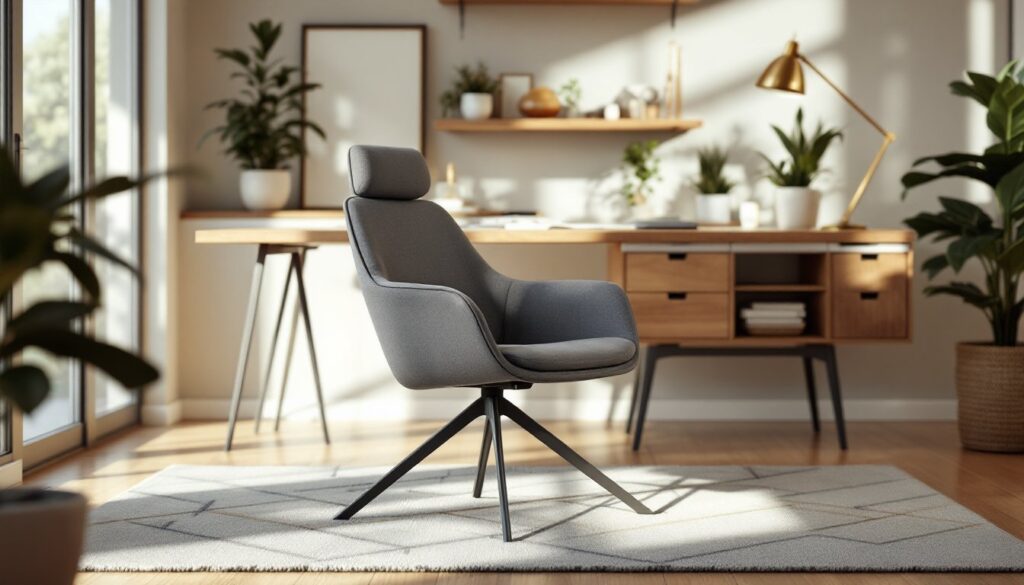
If you’re spending eight hours a day hunched over a desk, your body’s probably sending you some pretty clear messages. Back pain, neck strain, and shoulder tension aren’t badges of honor, they’re signs you need a better workspace. A quality ergonomic office chair isn’t a luxury: it’s an investment in your health and productivity. Whether you’re setting up a home office, upgrading a workspace, or just tired of sitting in an old dining chair, finding the right ergonomic chair on Amazon can transform how you feel at the end of the workday. This guide walks you through what actually matters in an ergonomic chair and the options that deliver real comfort without draining your wallet.
Table of Contents
ToggleKey Takeaways
- An ergonomic office chair on Amazon supports your spine’s natural S-curve and prevents chronic back pain, neck strain, and shoulder tension from poor posture.
- Prioritize adjustable lumbar support, seat depth (2-3 inch gap from knees), and multiple adjustment points including seat height, armrest height, and recline tension when choosing an ergonomic chair.
- Look for chairs with over 1,000 Amazon reviews and a 4.2-star rating or higher, and read critical reviews to identify real durability issues beyond generic praise.
- The $350–$500 price range offers excellent value for ergonomic office chairs with height-adjustable lumbar support, mesh backing, and solid construction without premium frills.
- Use Amazon’s 30-day return policy as a safety net to test whether an ergonomic chair feels right during real work before committing long-term.
Why Ergonomic Office Chairs Matter For Your Home Setup
Your chair is where posture lives, or dies. A poor-fitting seat forces your spine into unnatural curves, shortens hip flexors, and strains your neck and shoulders. Over weeks and months, this adds up. You’re not just uncomfortable: you’re dealing with chronic pain that bleeds into your personal time.
A properly designed ergonomic chair supports your spine’s natural S-curve, keeps your feet flat on the floor or footrest, and positions your arms at a neutral angle to your desk. When alignment is right, your body relaxes. You focus better, fatigue slower, and avoid the afternoon slump.
For home workers, this matters even more. You can’t duck out to a standing desk or stretch station. Your chair is your anchor. Offices with quality seating see fewer sick days and higher productivity, and that benefit carries straight into your home setup. An ergonomic chair also teaches good posture habits, when sitting feels effortless, you naturally maintain better alignment throughout the day.
Key Features To Look For When Choosing An Ergonomic Chair
Not all office chairs are created equal. Here’s what separates a true ergonomic chair from an impostor.
Lumbar Support And Spinal Alignment
Lumbar support is non-negotiable. Your lower back has a natural inward curve (lordosis), and a good chair’s lumbar region should follow that curve. Look for chairs with adjustable lumbar support, a dial or lever that lets you dial in the exact amount of support you need. Fixed lumbar support is better than nothing, but adjustable wins every time because every spine is different.
The backrest height also matters. A chair back that reaches mid-shoulder blade provides solid support without making you feel boxed in. If you’re tall, check the seat height range: most chairs fit people 5’6″ to 6’2″, but outliers need verification. Pay attention to seat depth too. Ideally, there’s a 2-3 inch gap between the seat’s front edge and the back of your knees when seated. Too deep, and you lose thigh support. Too shallow, and you feel like you’re sliding off.
Adjustability And Customization Options
A chair that works for everyone works for no one. The best ergonomic chairs offer multiple adjustment points: seat height, armrest height, armrest width, recline tension, and ideally seat tilt. Height adjustment is critical, your feet should rest flat on the floor (or a footrest) with thighs parallel to the ground. Armrests should be at elbow height when your arms hang naturally.
Recline tension (often called “tilt tension” or “weight-activated tilt”) lets heavier users get the same recline feeling as lighter ones. Without this adjustment, the chair might feel either mushy or rock-solid depending on your body weight. Synchro tilt, where the backrest and seat move independently, provides the smoothest recline experience and is worth the cost if you spend significant time reclining.
Don’t overlook casters (wheels) and base stability. For hardwood or tile, soft casters grip better: for carpet, hard casters roll easier. A wider base (5-point or wider) is more stable than a narrow one, especially if you recline frequently.
Top Ergonomic Office Chairs Available On Amazon
Amazon’s selection spans from budget knock-offs to legitimate ergonomic workstations. The standouts share a few traits: solid lumbar support, multiple adjustment points, durable construction, and consistent positive reviews from long-term users.
Experts who’ve tested dozens of chairs find that top-tier models like the Herman Miller Aeron (though pricey) and Steelcase Leap set the standard for adjustability and spinal support. On Amazon, you’ll find certified resellers and similar mid-range alternatives that hit the ergonomic marks without the enterprise price tag.
When researching on Amazon, prioritize chairs with over 1,000 reviews and an average rating of 4.2 stars or higher. Read the critical reviews, not just the five-star ones, real patterns emerge. Complaints about lumbar support durability, armrest stability, or caster quality after six months tell you more than generic praise.
Sources like CNET’s testing of office chairs and Good Housekeeping’s ergonomic chair roundup provide side-by-side comparisons and hands-on feedback that complement Amazon’s crowdsourced reviews. Cross-referencing these sources helps you spot chairs that perform well across different testing standards.
Budget-Friendly Options That Don’t Compromise Comfort
A $300–$500 chair can absolutely provide solid ergonomic support if you know what to prioritize. You won’t get fully adjustable armrests or premium memory foam padding at this price, but you can get a supportive backrest, good seat cushioning, and multiple height adjustments.
Look for chairs in the $350–$450 range that include height-adjustable lumbar support, tilt-lock mechanism (holds your preferred recline angle), and pneumatic seat adjustment. Mesh backing is your friend here, it’s more affordable than leather, breathes better, and holds up well over years of use. Avoid chairs that advertise “gaming” as the primary benefit without emphasizing lumbar support: that market often prioritizes aggressive styling over actual ergonomics.
Mid-range Amazon bestsellers frequently outperform their price point because manufacturers skip expensive aesthetics and focus on the core engineering. A $400 office chair from a direct-to-consumer brand often beats a $600 “premium brand” chair that’s mostly marketing. Real-world users report that the sweet spot for durability and comfort sits around $400–$600. Below $300, you’re gambling. Above $1,200, you’re paying for heritage and warranty unless you’re after specific adjustability features.
Tom’s Guide’s testing of over 50 office chairs identifies strong mid-range options worth considering. When comparing prices on Amazon, factor in return windows, Amazon’s 30-day return policy is a safety net. If a chair doesn’t feel right after two weeks of real work, send it back.
Conclusion
Your office chair isn’t background furniture: it’s a tool for health and productivity. Invest time identifying the features that matter to your body, lumbar support, seat depth, adjustability, and don’t settle for a chair that promises ergonomics without delivering adjustable support. Amazon’s selection makes it easy to compare, return, and upgrade. Take your time, read user reviews honestly, and remember: the best chair is the one you’ll actually adjust correctly and use for years to come.