Whether you’re logging eight hours a day at a remote workstation or squeezing in a few evening emails, the chair beneath you matters more than you’d think. An adjustable ergonomic office chair isn’t just a luxury, it’s a practical investment in your health and work quality. Poor seating posture compounds over time, leading to back pain, neck strain, and diminished focus. A well-designed chair with proper lumbar support and adjustable features can transform your home workspace from a pain point into a productive zone. This guide walks you through what makes an ergonomic chair effective and how to set one up for your unique body and workspace.
Table of Contents
ToggleKey Takeaways
- An adjustable ergonomic office chair reduces back pain, neck strain, and improves focus by encouraging neutral spine alignment during the 6–8 hours remote workers spend sitting daily.
- Lumbar support and spinal alignment are the cornerstone features; look for adjustable mechanisms that let you customize support positioning to match your unique spine shape and body proportions.
- Proper seat height adjustment—with feet flat on the floor, knees at 90 degrees, and thighs parallel to the ground—is essential for spinal health and must be your first setup priority.
- Adjustable armrests and a stable five-star caster base prevent postural compensation by keeping shoulders relaxed and the chair stable when you lean back or shift position.
- Taking time to fine-tune lumbar support, armrest height, and recline tension after purchase is critical; expect to make small adjustments over the first few days of use.
- An adjustable ergonomic office chair is a practical long-term investment for remote workers that pays dividends through reduced chronic pain and improved work productivity.
Why Ergonomic Office Chairs Matter for Home Workspaces
When you work from home, your office setup directly impacts your physical well-being and output. Many people underestimate how much time they actually spend sitting: studies show that the average remote worker logs 6–8 hours in a chair daily. Over weeks and months, an unsupported seat leads to postural imbalances, shoulders hiking up, lower back rounding, neck jutting forward.
A quality ergonomic chair addresses these patterns by encouraging neutral spine alignment. Unlike a basic office chair or dining seat, an adjustable ergonomic model distributes pressure across your back and hips, reducing strain on discs and muscles. The result isn’t just comfort: it’s fewer distraction-causing aches, better circulation, and the mental clarity to focus on actual work.
Home offices present unique challenges that make proper seating even more critical. You’re often isolated from others, so no one notices if your posture is deteriorating until pain forces the issue. Remote workers also tend to stay in one position longer than office-based colleagues, intensifying the cumulative effect of poor support. An adjustable chair gives you the tools to correct these patterns before they become chronic problems.
Key Features to Look For in an Adjustable Office Chair
Not all office chairs are created equal, and price alone doesn’t guarantee ergonomic value. The best adjustable ergonomic chairs share several foundational features that allow customization to your body and workspace.
Lumbar Support and Spinal Alignment
Lumbar support is the cornerstone of any ergonomic chair. Your lower back has a natural inward curve (lordosis), and maintaining that curve while seated is crucial for spinal health. Look for chairs with adjustable lumbar support, either a dial, lever, or sliding mechanism that lets you move the support pad up, down, or forward to match your unique spine shape.
Fixed lumbar support helps, but adjustable systems are worth the extra effort because everyone’s proportions differ. A person who’s 5’4″ needs the support positioned differently than someone who’s 6’2″. Some premium chairs like the ergonomic office mesh chair with lumbar support and adjustable arms offer depth-adjustment features that let you dial in exactly where that support contacts your back.
Beyond the lumbar pad, check the overall backrest curve. A high-density foam backrest with slight contouring encourages proper alignment without feeling overly rigid. The back should support your entire spine, not just the lower portion, poor mid-back support leads to slouching.
Seat Height and Base Stability
Proper seat height is non-negotiable. When seated, your feet should rest flat on the floor with knees at roughly 90 degrees, and your thighs should be parallel to the ground. A chair that’s too low forces you to reach up to your desk: one that’s too high leaves your feet dangling, straining your legs and lower back.
Seek a chair with a pneumatic gas cylinder that allows smooth height adjustment across a wide range. Standard adjustments typically span 16–20 inches, but check the specs for your frame size. Some chairs extend higher or lower than others: if you’re taller or shorter than average, verify the chair’s height range matches your needs.
Base stability matters more than many realize. A five-star caster base (the wheeled platform) with heavy-duty construction resists tipping and rolling unexpectedly. Budget chairs sometimes skimp on base weight, making the chair feel tippy when you lean back or shift side to side. A solid base also supports armrest adjustments without the whole chair feeling unstable.
Armrests shouldn’t be overlooked either. Adjustable armrests allow your arms to sit at desk height without hunching shoulders. If armrests are fixed too high or too low, you’ll compensate with poor posture, defeating the purpose of an ergonomic chair. Look for 3D armrests (height, width, and angle) or at minimum height and width adjustment.
Setting Up Your Chair for Maximum Comfort
Buying an ergonomic chair is step one: adjusting it correctly is step two, and many people skip this step. A chair with every feature in the world won’t help if it’s set up wrong for your body.
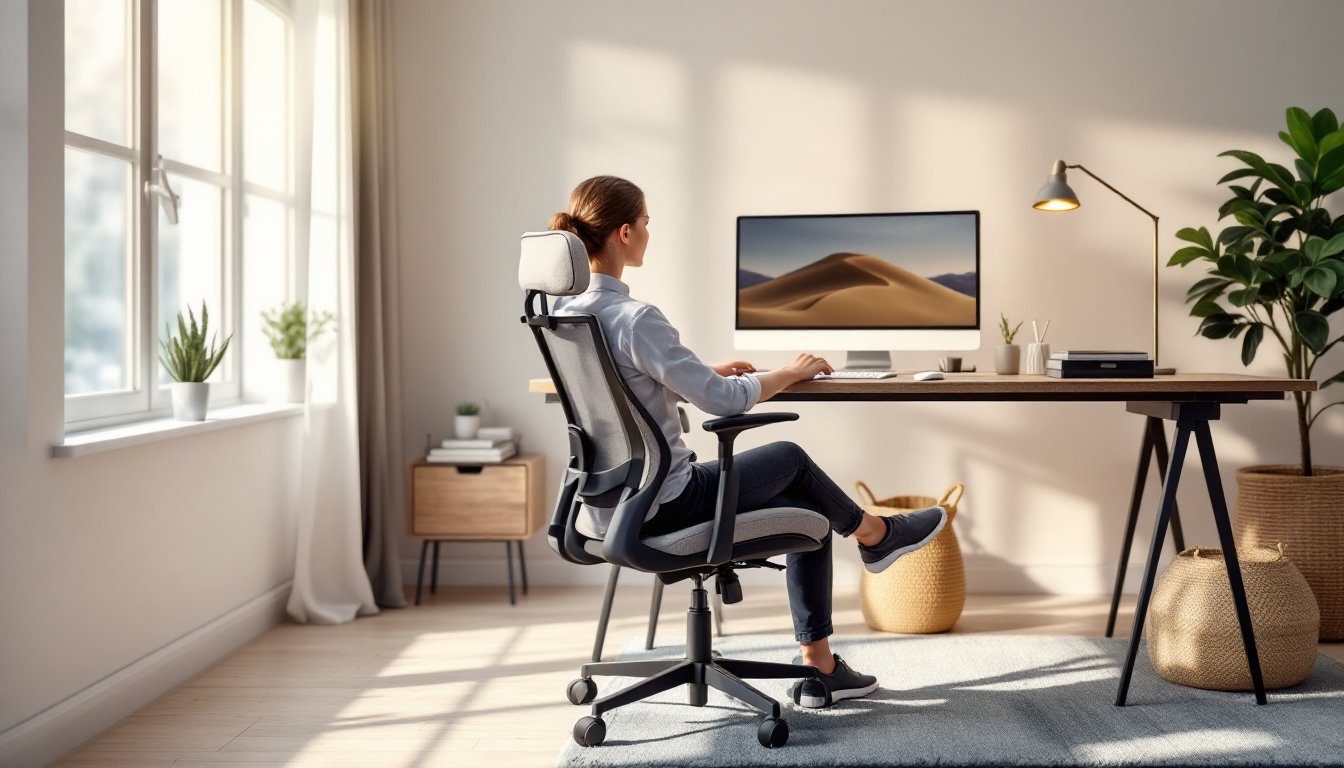
Start with seat height. Sit with your back against the backrest, feet flat on the floor. Adjust the gas cylinder until your knees are at 90 degrees and your thighs are parallel to the floor. Your hips should be slightly higher than your knees, this is the “golden angle” for spinal health.
Next, dial in lumbar support. Sit upright and find the hollowed curve in your lower back. Adjust the lumbar pad until it fills that space without feeling intrusive. It should feel like gentle support, not a hard jab. If your chair has a lumbar depth dial, start with a moderate setting and adjust forward or back until it matches your spine’s contour.
Armrest height comes next. Your elbows should rest on the armrests at roughly 90 degrees, with your shoulders relaxed. If armrests are too high, your shoulders lift (causing neck tension): too low forces you to lean forward. Adjust height first, then inward/outward angle so your arms sit naturally.
Backrest recline and tension round out the setup. Most ergonomic chairs have a recline tension knob that controls how easily the back tilts. Set tension so the chair reclines smoothly when you lean back but doesn’t flop backward unexpectedly. A slight recline (10–15 degrees) is healthy during breaks: full recline should feel controlled, not loose.
Once you’ve made these adjustments, spend a day working in the chair and notice problem areas. Your lower back might need the lumbar support shifted slightly higher. Your neck might benefit from the monitor being positioned closer (that’s a desk setup issue, not chair). These fine-tuning adjustments take time: don’t expect perfection on day one. Also, modern design inspiration and furniture reviews can help you explore chair styles that fit your workspace aesthetic while maintaining ergonomic integrity.
If you’re working with a tight budget or small space, consider IKEA furniture modifications and budget-friendly hacks that can stretch your investment further, though be honest about what an entry-level chair can deliver compared to a mid-range ergonomic model.
Conclusion
An adjustable ergonomic office chair is one of the smartest purchases a remote worker can make. The upfront cost pays dividends through reduced pain, better focus, and long-term spinal health. Focus on lumbar support, proper seat height adjustment, and a stable base, then take time to dial in your settings. Your future self, and your back, will thank you.