Buttock pain while sitting is more common than you’d think, especially for remote workers and anyone spending eight-plus hours parked in a chair. The culprit isn’t always poor posture: it’s often the chair itself. A seat that doesn’t support your sit bones properly can compress nerves, reduce blood flow, and leave you wincing by midday. The good news is that choosing the right office chair designed with pressure relief in mind can transform your workday comfort. This guide walks you through the features that actually matter, the chair styles that work best for pain relief, and how to set up your workspace to minimize discomfort from day one.
Table of Contents
ToggleKey Takeaways
- The best office chair for buttock pain features a seat depth of 14–17 inches, firm cushioning (50–60 kg/m³ density), and breathable materials that prevent heat buildup and pressure on sit bones.
- Adjustable lumbar support positioned 1–2 inches above your waist crease stabilizes your pelvis and reduces strain on your lower body by keeping your spine in neutral alignment.
- Proper workspace setup—with hips slightly higher than knees at a 100–110 degree angle and regular 45–60 minute movement breaks—is equally important as chair selection for pain relief.
- Ergonomic task chairs and mesh designs offer the best pressure point relief; choose based on your body weight, work duration, and whether you run hot or need maximum cushioning.
- Taking frequent breaks, using a sit-stand desk, and consulting a physical therapist if pain persists ensures lasting comfort and prevents deeper postural or muscular issues.
Why Buttock Pain Happens When Sitting And How Chair Design Matters
Prolonged sitting compresses the sciatic nerve and puts pressure on your ischial tuberosities, the bony sit bones that bear most of your upper body weight. When a chair‘s seat is too narrow, too firm, or doesn’t contour properly, it concentrates pressure on these points rather than distributing weight evenly across your posterior. Poor seat height and depth also force your legs into awkward angles, which throws your hips and lower back out of alignment.
Chair design matters because the right construction lifts pressure off sensitive areas. A well-designed seat uses cushioning that’s firm enough to support your weight without bottoming out, but soft enough to cradle your sit bones. The seat shape should be slightly curved or waterfall-edged (where the front edge slopes downward) to avoid digging into the back of your thighs. Lumbar support keeps your pelvis in a neutral position, which reduces strain on the entire lower body. Even the seat height affects pressure distribution: if your feet don’t rest flat on the floor, your legs swing, putting more weight on your backside.
Key Features To Look For In An Office Chair For Pain Relief
Seat Depth, Cushioning, And Material Quality
Seat depth is crucial, aim for 14 to 17 inches from the backrest to the front edge. Too shallow, and your thighs get no support: too deep, and the front edge presses into the back of your knees. The cushion itself should be 2 to 4 inches thick with a density around 50 to 60 kg/m³ (measured as IFD, or Indentation Force Deflection). This range is firm enough to support you without compressing flat within weeks.
Look for cushioning materials that encourage airflow and prevent heat buildup. Memory foam contours to your shape but can trap heat: mesh or gel-infused cushions stay cooler. High-density foam under a softer top layer gives you the best of both worlds: support plus comfort. The seat covering matters too, breathable mesh or fabrics with moisture-wicking properties keep you from getting clammy during long sessions. Leather and pleather don’t breathe well and can contribute to discomfort.
Lumbar Support And Spinal Alignment
Proper lumbar support prevents your lower back from rounding, which in turn stabilizes your pelvis and reduces pressure on your sit bones. Look for a chair with an adjustable lumbar curve that you can position at the small of your back, usually 1 to 2 inches above your natural waist crease. Some chairs have built-in lumbar pillows: others use adjustable mechanisms that let you dial in the right support level.
Armrests also play a role. They should support your arms at a 90-degree angle when your feet are flat and your back is against the chair. This takes weight off your shoulders and upper back, which indirectly reduces strain on your lower body. Avoid chairs with fixed armrests: adjustable ones (height and width) let you dial in the right position for your body.
Top Office Chair Styles And Their Benefits For Pressure Point Relief
Ergonomic task chairs are the most common choice for pain relief. They have adjustable lumbar support, cushioned seats designed for 6+ hours of use, and tilt mechanisms that let you rock slightly while staying supported. Many have adjustable seat height, armrests, and backrest angle, giving you control to dial in your ideal position.
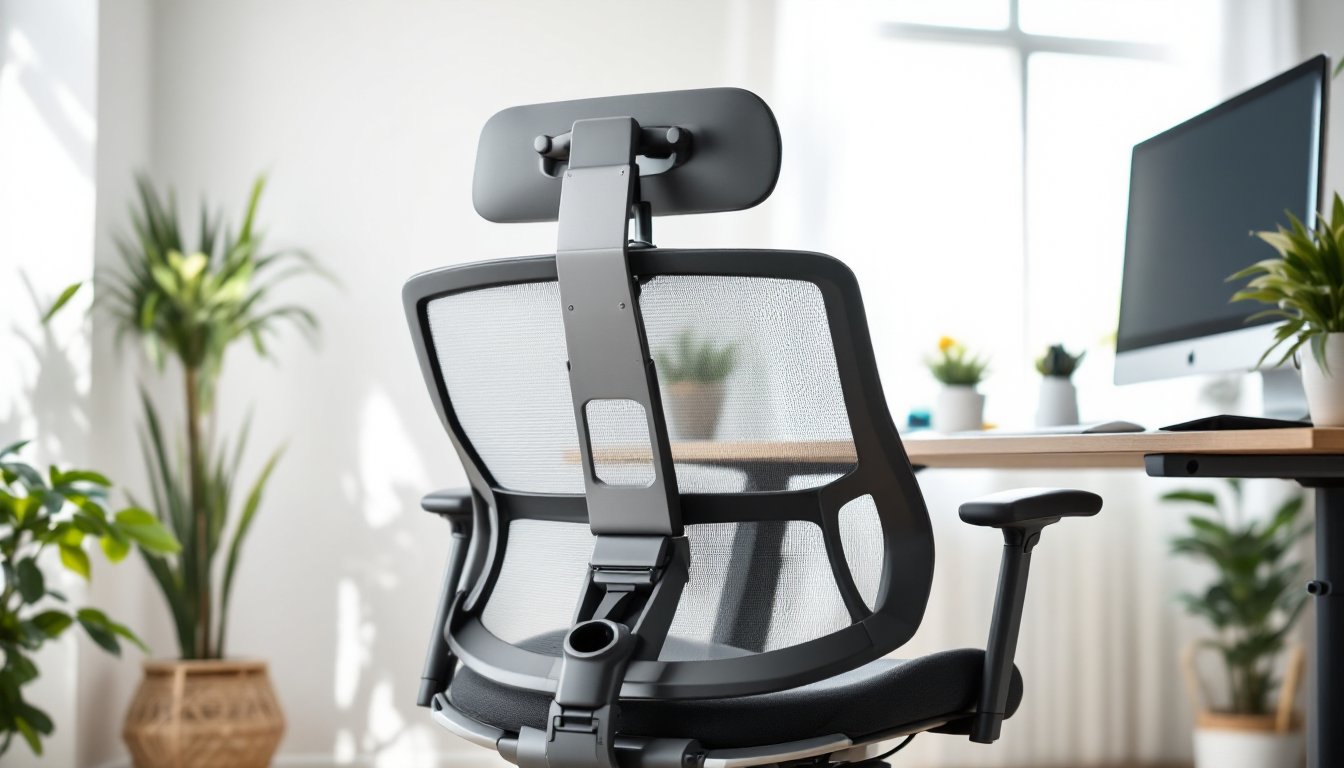
Executive and mesh chairs prioritize breathability over plushness. They’re great if you run hot or work in warm climates. The trade-off is less cushioning, so look for models with thicker foam cores beneath the mesh. These work well for people who don’t need a ton of padding but want steady support.
Kneeling chairs shift your weight forward onto your shins and knees, reducing pressure on your buttocks and lower back. They’re niche but worth considering if you move around throughout the day, they prevent the postural slouch that happens with static sitting. But, they’re not suitable for long, unbroken work sessions.
Saddle seats mimic a motorcycle or horse saddle and force a more upright, engaged posture. They reduce pressure on the backside by angling your pelvis forward. They take adjustment time but work well for people who fidget or need dynamic seating. Many modern offices now use saddle designs as part of a “active sitting” approach. Websites like Dwell feature contemporary furniture designs that include ergonomic seating innovations worth exploring for inspiration.
The best chair for you depends on your build, how long you sit, and what hurts most. A 180-pound person sitting for 4 hours has different needs than a 130-pound person at a desk for 12 hours.
Additional Tips For Setting Up Your Workspace To Minimize Discomfort
The right chair is half the battle. Your workspace setup matters just as much. Seat height should position your hips slightly higher than your knees, roughly a 100- to 110-degree angle, which angles your pelvis forward and lifts pressure off your sit bones. Your monitor should be at or just below eye level, about an arm’s length away. Looking down or reaching forward throws your spine out of alignment.
Take breaks every 45 to 60 minutes. Stand, stretch, and walk for 5 to 10 minutes. Movement increases blood flow to areas that get pinched during sitting. If your job requires long static sessions, alternate between sitting and standing, a sit-stand desk lets you adjust throughout the day without buying a second chair.
Consider a seat cushion or donut pillow as a short-term aid while you’re adjusting. Memory foam seat toppers add softness and can help distribute pressure more evenly. Gel cushions are better for people who run hot. Office furniture retailers and ergonomic specialists can custom-order cushions fitted to your chair’s dimensions.
Temperature and humidity matter. A warm, humid environment makes pain feel worse because muscles tighten and fatigue faster. Keep your office cool and dry. If you’re working in a hot space, breathable mesh chairs and moisture-wicking fabrics help prevent the discomfort that heat exacerbates. Interior design resources like Design Milk showcase modern office setups that balance aesthetics with ergonomic principles, offering real-world examples of how to arrange a functional workspace. Finally, if pain persists after adjusting your setup and chair, consult a physical therapist or occupational specialist, sometimes buttock pain signals a deeper postural or muscular issue that needs professional attention.
Conclusion
The best office chair for buttock pain combines proper seat depth, firm yet supportive cushioning, adjustable lumbar support, and a design that promotes neutral spinal alignment. Pair that chair with a well-arranged workspace and regular movement breaks, and you’ll cut discomfort dramatically. Don’t settle for a cheap generic chair hoping it’ll work out, a mid-range ergonomic seat is an investment in your health and productivity. Take time to test chairs in person when you can, pay attention to how your body feels during the first few weeks, and adjust your setup as needed. Small tweaks make a big difference.