Spending eight hours a day in a poor chair is a recipe for back pain, neck strain, and fatigue that follows you beyond the home office. Yet comfort doesn’t have to mean emptying your wallet. The good news? You can find a genuinely ergonomic office chair under $300 that supports your posture, adjusts to your body, and lasts for years. In 2026, budget-friendly options have gotten smarter, with better lumbar support, adjustable armrests, and breathable materials that rival chairs costing twice as much. This guide walks you through what matters in an ergonomic chair, how to measure your space and body correctly, and where to find the best value without sacrificing the support your back actually needs.
Table of Contents
ToggleKey Takeaways
- An ergonomic office chair under $300 can effectively prevent back pain, neck strain, and fatigue by supporting your spine’s natural curve and keeping your posture aligned throughout the workday.
- When shopping for a budget ergonomic chair, prioritize adjustable lumbar support, seat height adjustment, breathable materials, and a stable 5-wheel base over unnecessary luxury features like heating or RGB lighting.
- Proper chair setup requires measuring your desk height, positioning lumbar support to match your lower back curve, ensuring feet rest flat at 90-degree knees, and adjusting armrests just below elbows to prevent shoulder strain.
- Used office chairs from corporate liquidation sales or online marketplaces can offer well-made alternatives for $100–200, while hybrid setups combining a basic chair with a lumbar pillow provide adjustable support for less investment.
- Timing your purchase during off-season months (March, June, August) or sales events can lower costs, and choosing a chair with a 30-day return window and 1–3 year warranty ensures you can test fit before committing.
Why Ergonomics Matter for Your Home Office Setup
Most people don’t think about chair ergonomics until something hurts. By then, you’ve spent months grinding out emails in a slouch, and your lower back is reminding you of every single one.
Proper ergonomics isn’t vanity, it’s injury prevention. When your chair aligns your spine correctly, your shoulders relax, your neck stays neutral, and you reduce strain on discs and ligaments that can take years to recover from. Studies show that poor seating posture contributes to chronic pain, reduced productivity, and even headaches from tension creeping up the neck and shoulders.
A good ergonomic chair does three things: it supports the natural curve of your spine (lumbar support), keeps your hips and shoulders aligned, and lets you adjust height and angle to match your desk setup. You don’t need a $1,500 Herman Miller for this, just a chair built with those principles in mind. The under-$300 market has genuinely improved. Manufacturers now understand that budget buyers still need lumbar support, breathable materials, and smooth recline mechanisms. The trade-off at this price point usually isn’t comfort: it’s durability under extreme use and minor luxury features like memory foam or premium wheel assemblies.
Key Features to Look For in a Budget Ergonomic Chair
Not all cheap chairs are created equal. When you’re shopping under $300, a few features separate a chair that’ll serve you well from one that feels like sitting on a hardened sponge after three months.
Seat height adjustment is non-negotiable. Your feet should rest flat on the floor with your knees at a 90-degree angle when you’re sitting upright. A pneumatic gas cylinder (the mechanism that lifts and lowers the seat) should raise the seat at least 17–21 inches from floor to cushion top, standard for most people working at a typical 28–30 inch desk. Test the range before buying if possible: some budget models cap out too low or don’t adjust smoothly.
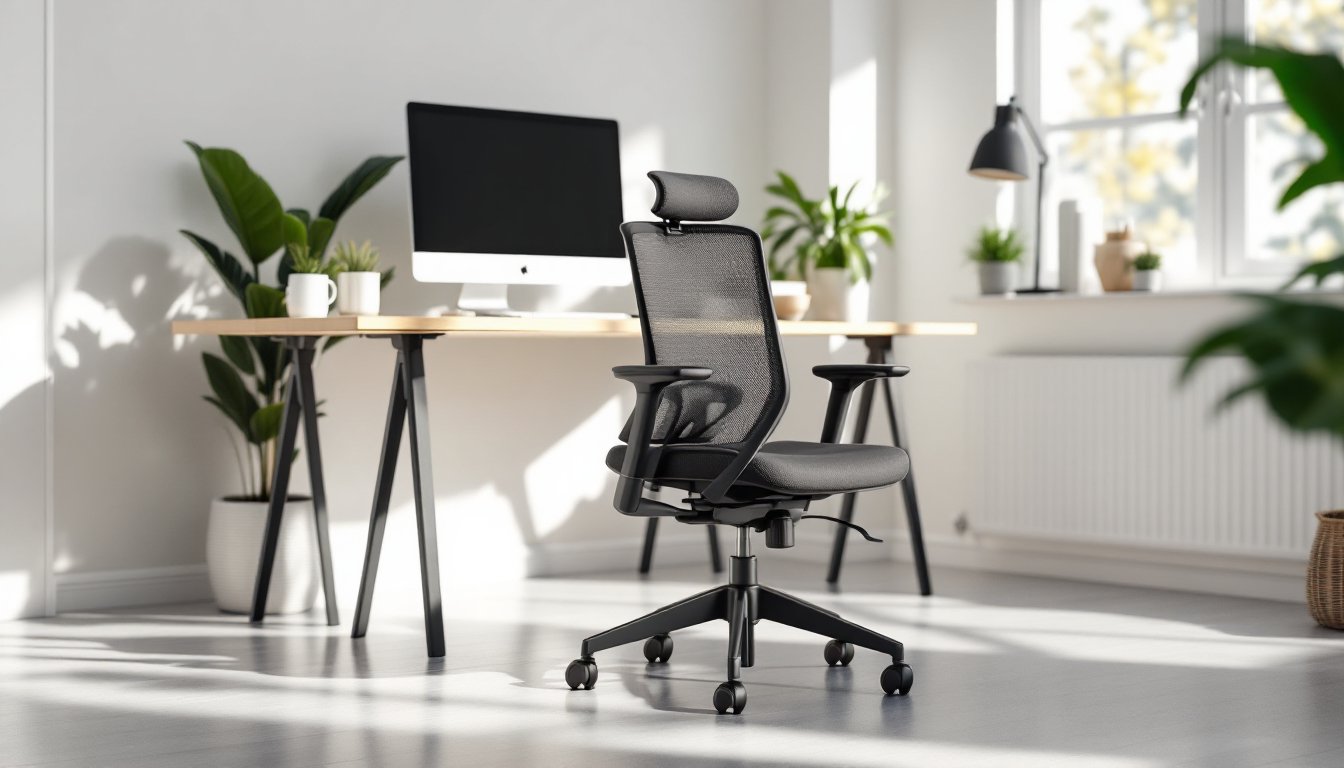
Swivel and mobility matter more than people realize. You should be able to reach your desk, keyboard, and phone without straining. A 5-wheel caster base is standard: make sure wheels roll smoothly on your floor type (hard casters for carpet, soft casters for hard floors). Mesh or breathable fabric keeps you from overheating during long work sessions, important if your office doesn’t have great air flow.
Armrests should either be adjustable or removable. Fixed armrests at the wrong height will make you shrug or reach, which defeats the purpose. Many budget chairs skip adjustable armrests to save money, so removable ones are a good compromise.
Lumbar Support and Back Alignment
This is where quality separates budget winners from duds. Lumbar support means the chair actively supports the inward curve of your lower back (the lumbar spine). Poor chairs have a flat or outward-curved backrest, which forces you to slouch. Good ones have a pronounced lumbar bulge, usually 4–5 inches tall, positioned at the natural dip of your spine.
Look for adjustable lumbar support: a lever or knob that lets you move the lumbar bump up and down or adjust its firmness. Fixed lumbar support is better than nothing, but adjustable is worth the extra $20–40 because spines come in different sizes. Taller people need the lumbar curve positioned higher: shorter people need it lower.
The backrest material also affects support. A rigid plastic shell holds its shape: memory foam moulds to you but may compress over time. Mid-range budget chairs often use a firm foam insert under mesh, which balances support and comfort.
Backrest height matters too. A taller backrest (20–24 inches tall) supports your mid-back and shoulders, reducing neck strain. Shorter backrests (16–18 inches) save weight and cost but won’t help if you recline or work in a slouch.
Adjustability and Customization Options
The best chair under $300 is the one you can tune to your body. Generic “one size fits all” setups fail because people are different shapes and sizes.
Recline tension and lock let you tilt back without falling over. A pneumatic tension knob controls how hard you need to lean back to recline: too loose and you’ll slip, too tight and it’ll strain your back. A recline lock (a button that holds the chair upright) is essential if you need to stay locked in place during video calls or focused work.
Seat depth adjustment (if available) lets you set how far you sit into the seat. Some people need 16–17 inches of depth: others 19–20. Most budget chairs come pre-set, but adjustable depth saves your knees from hitting the edge of the seat, which cuts off circulation.
Seat tilt (forward or backward inclination) helps if you spend hours leaning toward your screen. A tilt function angles the whole seat, not just the backrest, and keeps your hip and knee angles balanced.
Don’t get distracted by unnecessary extras. Heated seats, massage functions, and RGB lighting are gimmicks under $300, they add weight and failure points without improving posture. Stick to mechanics: height, recline, lumbar, and armrest adjustability.
How to Measure and Set Up Your Chair Correctly
A great chair set up wrong is still a bad chair. Most people inherit a chair at the wrong height or never adjust the lumbar support, then blame the chair for back pain.
Before you buy, measure your desk height. Standard desks are 28–30 inches. Your elbows should sit at desk level with your arms relaxed at your sides, which means the seat needs to sit roughly 16–18 inches below your desktop (depending on your leg length). Use a tape measure on your current desk setup or go to a showroom and sit in a test chair at your intended desk height.
After delivery, start with the lumbar support knob in the middle position. Sit in your normal work posture. Adjust the lumbar bump upward until it fits snugly into the curve of your lower back, you should feel support, not pressure. If the chair has height-adjustable lumbar support, position it at the lower part of your back curve (roughly where your belt would sit).
Adjust seat height so your feet rest flat on the floor or a footrest. Your knees should form a 90-degree angle. If your feet dangle, you need a footrest or a lower chair: if your knees are higher than your hips, the seat is too low.
Recline tension should feel neutral, you lean back slightly without effort, but you don’t slide down. Test it by sitting upright, then leaning back to a 100–110 degree angle. This should feel intentional, not accidental. Most pneumatic cylinders come pre-tensioned: adjust via the knob under the seat if needed.
Armrests (if adjustable) should sit just below your elbows when your arms hang naturally. Your shoulders should stay relaxed: if armrests are too high, you’ll shrug. Too low, and they’re useless.
Give yourself a week to adjust. Sitting upright in an ergonomic chair feels different from a slouchy couch chair, it takes your muscles time to adapt. If pain worsens after a week, revisit your setup or consider whether the chair is right for your body type.
Budget-Friendly Alternatives and Money-Saving Tips
If $300 feels high, you do have options, though they come with tradeoffs.
Used office chairs from liquidation sales or online marketplaces are often legitimate finds. Corporate offices regularly auction off older but well-made ergonomic chairs for $100–200. Look for mesh chairs from companies like Steelcase, HON, or Haworth (built to last through office use, so they’ll handle home use fine). Inspect the gas cylinder to make sure it adjusts smoothly: a broken pneumatic cylinder means the seat won’t hold height.
Hybrid setups can stretch your budget. A $150 basic mesh chair paired with a lumbar pillow cushion ($30–50) gives you adjustable lumbar support for less than a mid-range chair. It’s not as integrated, but it works if the base chair has decent height adjustment and a decent backrest.
DIY modifications are real but not magic. Some people add foam padding, swap out the lumbar insert, or retrofit a better gas cylinder, but these require tools and mechanical knowledge. Only attempt this if you’re handy and understand pneumatics.
Reviews online at sites like CNET’s best office chairs and Good Housekeeping’s tested office chairs often highlight budget models that compete above their price point. These publications test durability and comfort over time, which matters more than specs alone.
Timing your purchase can save money. Office chair sales spike in September (back-to-school/back-to-office rush) and January (New Year resolutions). Buying in off-season (March, June, August) sometimes nets better deals or clearance on previous-year models.
Warranty and return policy are worth paying for. A 30-day return window means you can test the chair in your actual setup, some discomfort is normal, but real pain issues should show up in a week. A 1–3 year warranty on the gas cylinder and base is standard: check for it before buying. Tom’s Guide’s roundup of top ergonomic office chairs includes warranty details and real-world durability notes that can guide your choice.
Conclusion
A good ergonomic office chair under $300 isn’t a compromise, it’s a smart buy. Focus on lumbar support, adjustability, and proper setup over fancy extras. Measure your desk and body, test before buying if you can, and give yourself time to adjust. Your back will thank you for years to come.