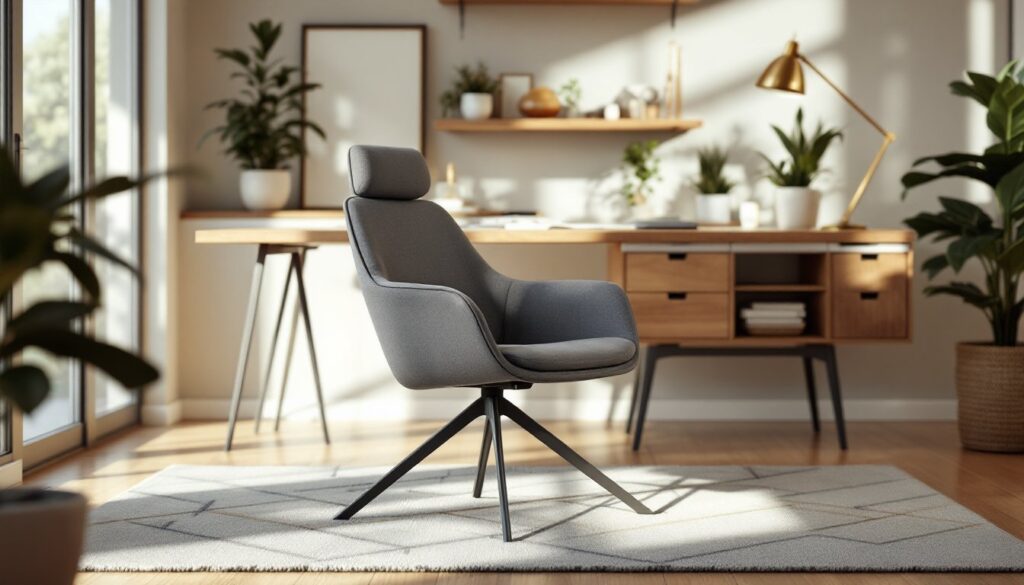
Spending eight or more hours a day sitting in a mediocre chair isn’t just uncomfortable, it’s a recipe for back pain, poor posture, and reduced productivity. A big comfy office chair designed with proper support and cushioning transforms your home workspace from a place you dread into one where you actually want to work. Whether you’re remote, self-employed, or just need a better spot to handle emails and projects, the right chair pays for itself through comfort and longevity. This guide walks you through the essential features, measurements, and styles to help you pick a spacious, supportive chair that fits both your body and your home office aesthetic.
Table of Contents
ToggleKey Takeaways
- A big comfy office chair with proper lumbar support and quality padding prevents back pain, improves posture, and boosts productivity during long work sessions.
- Seat width should measure 22–26 inches (28+ for larger frames), depth 16–20 inches, and padding at least 3–4 inches of high-density foam to ensure comfort without flattening over time.
- Adjustable lumbar support, armrests at 90-degree elbow height, and a tall backrest (22+ inches) are non-negotiable ergonomic features that reduce fatigue and support your entire spine.
- Measure your sitting dimensions (thigh length, hip width, torso length) and workspace before purchasing to ensure the chair fits both your body and your home office layout.
- Regular maintenance—vacuuming mesh, wiping leather, tightening bolts, and checking casters every six months—extends your chair’s lifespan and preserves comfort for years.
- Executive, task, and mid-back styles each offer different aesthetics; choose based on your decor and workspace size to create a professional home office that suits your needs.
Why Comfort Matters in Your Home Office Setup
Your spine doesn’t know the difference between a $200 chair and a $2,000 one, it just knows whether it’s supported or stressed. When you sit poorly for prolonged periods, spinal discs shift, muscles tighten, and the resulting pain bleeds into your focus and mood. A big comfy office chair with proper lumbar support, adequate seat depth, and quality padding distributes your weight evenly and reduces strain on your lower back, neck, and shoulders.
Comfort also drives consistency. If your chair causes discomfort within an hour, you’ll spend the day fidgeting, standing, and losing concentration. A genuinely comfortable chair keeps you anchored to your work, improves focus, and helps you maintain good posture without constant conscious effort. Beyond the physical, ergonomic seating reduces fatigue-related mistakes and supports your mental health by eliminating a daily source of physical irritation. Think of it as an investment in your productivity and wellbeing, not just a piece of furniture.
Key Features to Look for in a Spacious, Comfortable Chair
Seat Size, Padding, and Materials
Seat width should measure at least 22 to 26 inches between the armrests for comfortable hip placement: larger frames may need 28 inches or more. Measure your own hip width (side to side across the widest part while sitting) and add 2–3 inches to avoid feeling pinched. Seat depth, the distance from the front edge to the backrest, should leave 2–3 inches of clearance behind your knees when you sit fully back: 16 to 18 inches is typical, but taller individuals need 18–20 inches.
Padding thickness matters. Thin, rock-hard padding feels cheap and flattens within months: aim for at least 3 to 4 inches of high-density foam that holds its shape. Dense foam compressed slowly under pressure gives you support without bottoming out. Mesh fabrics breathe well and hide dust, but they can wear and tear over time. Leather and leather-like synthetics wipe clean and look professional, though they can feel cold at first and require occasional conditioning. Fabric upholstery offers warmth and variety but traps dust. Consider your climate and how much you’ll touch the chair with bare skin.
Lumbar Support and Ergonomic Design
Lumbar support is non-negotiable for long sitting sessions. The best chairs have an adjustable lumbar region that you can move up, down, and in-and-out to match the curve of your lower spine (around the L4–L5 vertebrae). Fixed lumbar support works for some, but adjustable beats it every time because everyone’s spinal curve differs.
Arm height should allow your elbows to rest at roughly 90 degrees while your shoulders stay relaxed: most people need armrests between 7 to 10 inches above the seat. Adjustable arms let you fine-tune this, fixed armrests sometimes cramp taller users or sit too high for others. The backrest should support your entire back from the lumbar curve to your mid-shoulders: a taller backrest (22+ inches) prevents fatigue from unsupported upper-back weight. Tilt tension and recline should let you lock the chair in place or adjust how much backward lean you want, preventing that sinking, unsupported feeling.
How to Measure and Position Your Chair for Optimal Comfort
Start by measuring your space. The chair needs a rolling radius of at least 24 to 30 inches in front and to the sides for safe movement and cable access. If you’re tight on space, measure your actual workspace and consider a compact or mid-back model instead of a massive executive chair. Check ceiling height too: a tall backrest plus tall user plus low ceiling can create awkward posture.
Measure yourself sitting normally: thigh length (sitting bone to knee), hip width, torso length (sitting bone to shoulder), and overall height. Match these to the chair’s dimensions before buying. Once seated, your feet should rest flat on the floor with knees at roughly 90 degrees: if they dangle or jam under the desk, adjust the seat height via the pneumatic cylinder (the gas lift). Your desk should sit about 1 inch above your elbows when arms are at your sides. This keeps you from hunching or reaching.
Position the lumbar support so the curve sits in the small of your back, not higher or lower. Adjust armrest height so your forearms rest lightly without your shoulders shrugging. Lean back slightly to test tilt resistance, you should feel stable, not floppy. Spend 30 minutes in the chair if the store allows it: an uncomfortable first hour often gets worse by hour five at home.
Top Chair Styles and Designs for Different Home Office Aesthetics
Executive chairs command attention with high backs, plush padding, and often leather or faux-leather upholstery. They evoke formality and professionalism, making them ideal for video calls or client meetings at home. The downside: they’re bulky and often pricey, and all that cushioning can trap heat during summer.
Task or ergonomic chairs lean functional and minimal, often with mesh backs, modest padding, and no-fuss colors like black or gray. They suit modern, minimalist, or industrial aesthetics and run the gamut in price. Many include serious ergonomic features (adjustable lumbar, armrests, tilt locks), making them smart for all-day work. The clean lines work in contemporary spaces, though they can feel clinical in cozier rooms.
Mid-back office chairs split the difference: good back support without overwhelming your space, often with a professional look that isn’t stuffy. They work in smaller rooms and adapt to casual or corporate home offices alike. Storage and style inspiration for these setups appears in design-focused resources like Design Milk, which covers contemporary furniture choices. Reviews comparing options for long-term comfort are available through tested office chair reviews, covering multiple styles side by side.
For a crafted, bespoke look, some DIYers build or upholster custom bases using woodworking tutorials to match existing decor. This requires real skill and time, but delivers a unique, perfectly-fitted result.
Maintenance Tips to Keep Your Office Chair Looking and Feeling New
Start with prevention. Use an office chair mat to reduce wear on casters (wheels) and flooring, and to make rolling smoother. Vacuum mesh seats weekly and wipe leather monthly with a slightly damp microfiber cloth, moisture and dust accelerate deterioration. For fabric, use a brush or soft upholstery tool and spot-clean spills immediately with mild soap and cool water.
Check moving parts every six months. Tighten bolts and screws where the base, armrests, and backrest connect: vibration and rolling gradually loosen them. Inspect casters for hair, dust, and debris wrapping around the wheels, a quick clean keeps them rolling smoothly. The pneumatic gas lift (seat height cylinder) rarely fails, but if your chair sinks slowly, the seal is wearing: a replacement cylinder costs $20–50 and takes five minutes to swap.
Rotate or flip removable cushions if your chair has them, and avoid sitting in one spot all day. Weight concentrates wear on one part of the foam. If padding flattens, professional reupholstering runs $400–800, but many chairs accept drop-in cushion replacements for $100–300. Keep your receipt and warranty paperwork: most quality chairs come with 5–10 year warranties covering frame, gas lift, and mechanisms. Proper care extends the life of your big comfy office chair by years and keeps it supporting your back through many projects ahead.