If you’re working from home for eight or more hours a day, your chair is doing the heavy lifting, literally. A poor-fitting office chair doesn’t just feel uncomfortable: it can compound back pain, create neck strain, and drain your productivity. The difference between a run-of-the-mill office chair and one engineered for long hours isn’t subtle: it’s the difference between finishing your workday energized and limping away from your desk. Finding the right office chair for back pain relief requires understanding what your spine actually needs, knowing which features matter most, and making a smart purchase decision that fits your budget. This guide walks you through everything a home office worker should know before buying.
Table of Contents
ToggleKey Takeaways
- A best office chair for long hours must include adjustable lumbar support that matches your spine’s natural curve, as poor seating can increase chronic back pain by up to 34% according to recent ergonomics research.
- Essential chair adjustments include seat height, armrest height, recline tension, and tilt lock—focus on these core features before considering bonus adjustments like headrest or sideways lumbar control.
- The $300–$700 price range offers the best value for home office workers, combining adjustable lumbar support, durable materials, and proven all-day comfort without the steep diminishing returns of premium brands.
- Proper office chair setup extends beyond seating: align your monitor at eye level, take a five-minute movement break every hour, and use a footrest if your feet don’t rest flat on the floor to prevent compounding back strain.
- Task chairs with high-back support designed for extended work sessions outperform budget gaming chairs, which lack genuine lumbar adjustment and aren’t engineered for eight-hour workdays.
- A 30-minute assessment with an ergonomics specialist can guide you toward the right chair style for your specific back issues, potentially saving you from purchasing an unsuitable option.
Why Proper Seating Matters For Your Home Office Setup
Your spine isn’t built for static positions. When you sit in an unsupported chair for hours, your lower back flattens, your shoulders round forward, and your neck juts ahead of your body’s center of gravity. This posture, sometimes called “anterior pelvic tilt” or slouch, compresses discs and strains the muscles and ligaments holding your spine upright.
The problem compounds over months and years. A 2024 workplace ergonomics study found that workers using unsupported chairs reported 34% more chronic back pain than those in proper ergonomic seating. For anyone already dealing with back pain, a cheap office chair can make it worse: for those without pain, the wrong chair can create it.
A chair designed for long hours does several things: it maintains the natural curve of your lumbar spine, distributes pressure across your seat and back, and allows you to adjust to your unique body and desk setup. Think of it this way, you wouldn’t run a marathon in shoes designed for casual walking. Your home office chair deserves the same specificity.
Key Features To Look For In A Back-Pain-Friendly Chair
Not all office chairs are created equal, and marketing language often obscures what actually matters for spine health. Here’s what to prioritize when shopping.
Lumbar Support And Spinal Alignment
Lumbar support is the single most important feature for back pain relief. Your lumbar spine (lower back) has a natural forward curve called lordosis. When you sit, that curve flattens without proper support. A quality office chair should have a lumbar adjustment, either a built-in curve or an adjustable lumbar support pillow, that matches your spine’s shape.
Look for chairs that let you adjust lumbar support both vertically (up and down) and in depth (how far it protrudes). A one-size-fits-all lumbar curve won’t work for everyone. Some chairs offer height adjustment only, which is a red flag. Your lower back sits roughly at belt level, so the support should align with your natural curve at that spot.
Also check the seat depth and backrest height. Your seat should be deep enough to support your thighs without pressing into the backs of your knees, typically 16–18 inches for average adults. The backrest should reach at least to your shoulder blades: higher is often better for lumbar support.
Adjustability And Customization Options
A chair that can’t be dialed in to your body is a chair that will cause problems. Essential adjustments include:
- Seat height: You need about 1–2 inches of clearance between the seat and your knees when feet rest flat on the floor.
- Armrest height and width: Armrests should support your forearms at desk height with shoulders relaxed.
- Recline tension: A slight recline (15–20 degrees max) reduces pressure on your spine. Avoid chairs that recline too far or offer no tension control.
- Tilt lock: Many chairs allow you to lock the recline angle if you prefer a fixed position.
Bonus adjustments, like headrest height, seat tilt, or sideways lumbar adjustment, add customization but aren’t essential. Focus on the core four above first. If a manufacturer advertises dozens of adjustments but the lumbar support is fixed, that’s marketing over substance.
Top Ergonomic Chair Styles For Extended Work Sessions
Different work styles and body types suit different chair designs. Here are the main categories for long-hour comfort.
Task Chairs with High-Back Support are the workhorse of home offices. They feature full-height backrests, adjustable lumbar support, and typically cost $300–$800. If you’re sitting 6+ hours daily, a quality task chair is your best investment. They’re designed specifically for desk work, not style, so expect a functional aesthetic.
Executive or Manager-Style Chairs look more like furniture than task chairs. They often have leather or mesh upholstery, padded armrests, and a professional appearance. They can offer good lumbar support, but quality varies wildly at the same price point. If aesthetics matter in your home office, this style bridges function and form, just verify adjustability specs before buying.
Kneeling and Saddle Chairs are niche options that tilt your pelvis forward, reducing lower-back strain. They work well for people with specific back issues, but they take getting used to and aren’t suitable for all-day sitting. Consider these supplemental, alternate between your main chair and a kneeling chair for posture variation.
Budget Gaming Chairs might look like they belong in an office, but most are designed for short gaming sessions, not eight-hour workdays. They typically lack genuine lumbar adjustment and fold flat in months of heavy use. Skip them if back pain is a concern.
When shopping, independent reviews like CNET’s roundup of office chairs tested for extended comfort provide real-world durability and comfort feedback that marketing doesn’t. Look for chairs that users specifically praise for all-day sitting, not just initial comfort.
Budget Considerations And Where To Find Quality Chairs
Office chair pricing ranges from $150 to $2,500+. Here’s where your budget actually returns value.
Under $300: You’ll find mesh task chairs with basic lumbar support and standard adjustments. At this price, quality control is inconsistent. Look for proven models with multiple reviews confirming durability over at least two years. Avoid anything with fixed lumbar support.
$300–$700: This is the sweet spot for home office workers. Chairs at this level combine adjustable lumbar support, quality materials that last, and good adjustments. Most recommendation lists concentrate here. You can buy with confidence that the chair will survive daily eight-hour use.
$700–$1,200: Premium ergonomic brands like Herman Miller and Steelcase occupy this range. They offer superior adjustability, better build quality, and often longer warranties (10+ years). They’re worthwhile if you plan to use the chair for 5+ years.
$1,200+: High-end designer and custom chairs. Unless you have specific medical needs or very particular aesthetics, the diminishing returns are steep.
For setup and aesthetics, Dwell’s guide to ergonomic home office chairs highlights options that blend stylish design with function. Many home office workers benefit from pairing a quality base chair with a separate lumbar pillow for added customization, this hybrid approach can be more affordable than a high-end all-in-one model.
Where to buy: Big-box retailers let you test in person (crucial). Online retailers offer broader selection and sometimes better pricing. Verify the return policy, good ergonomic chair sellers allow 30–60 day trials because fit varies by body.
Additional Tips For Maximizing Comfort And Health
A great chair is one piece of a healthy home office. A few other factors matter just as much.
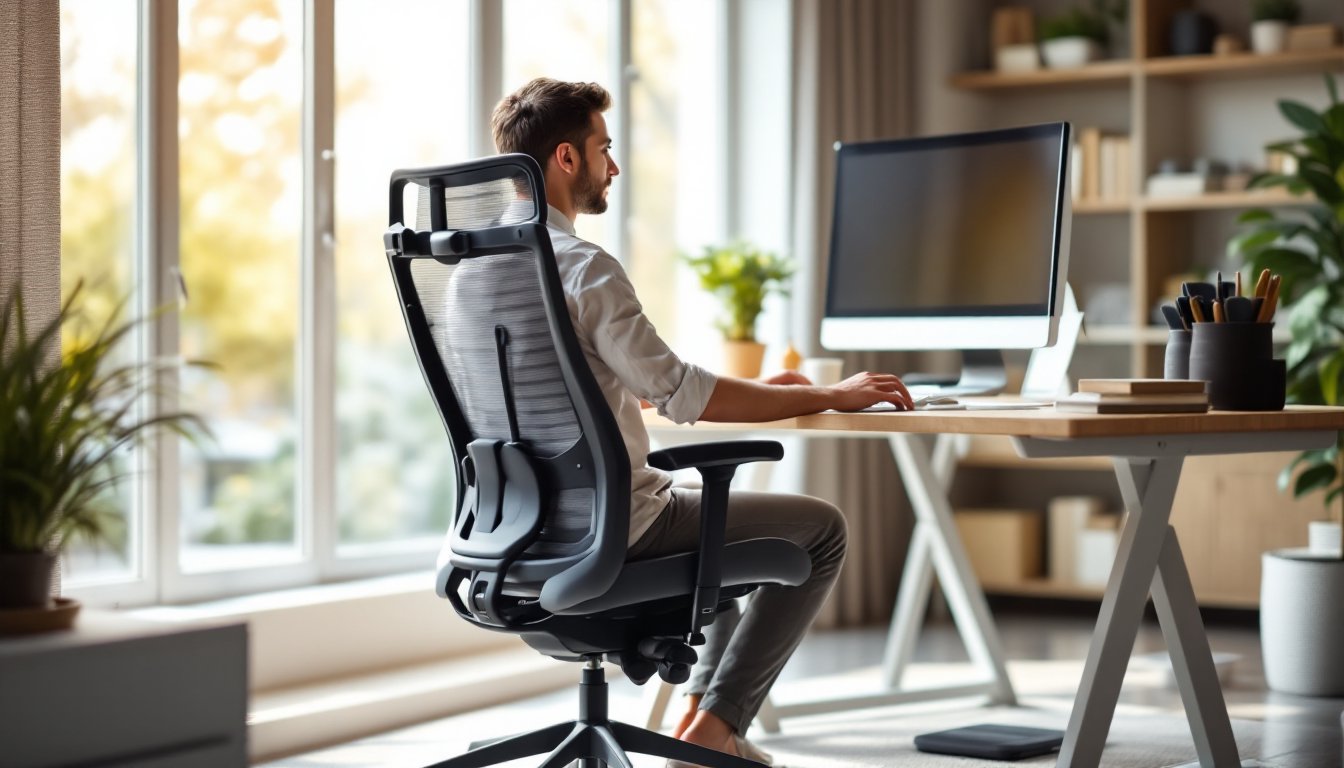
Desk and monitor height: Your monitor should sit at arm’s length away and at eye level when you’re sitting upright. A too-low desk forces you to hunch: a too-high one strains your shoulders. If your current desk doesn’t match your chair height, an adjustable monitor arm ($40–$150) solves this without replacing furniture.
Movement and posture breaks: Even in the best chair, holding one position for three hours is harmful. Stand and walk for five minutes every hour. Stretch your hip flexors and hamstrings, these muscles tighten in prolonged sitting and pull on your lower back.
Footrest usage: If your feet don’t rest flat on the floor at your current desk height, a footrest ($30–$80) prevents lower-leg strain and takes pressure off your lower back. It’s a simple adjustment that many people overlook.
Chair maintenance: Check bolts and adjustments monthly. Wheels wear: if your chair starts to sink, the pneumatic cylinder has failed and needs replacement (a $50–$150 repair). Don’t wait until it’s unusable.
If you’re dealing with chronic back pain, consider consulting a physical therapist or ergonomics specialist before buying. Some people benefit from a kyphotic (forward-tilt) seat, others from recline adjustment, and some from lumbar pillows. A 30-minute professional assessment can save you from buying the wrong chair.