Setting up a dedicated entertainment space has shifted from a luxury to an expectation, and automation is what separates a good home theater from a truly immersive one. Home theater automation lets you control lighting, audio, video, and climate from a single interface, or even voice commands, turning your viewing experience from frustrating (hunting for five remotes) to seamless. Whether you’re retrofitting an existing media room or building one from scratch, understanding the fundamentals of home theater automation helps you invest wisely and avoid costly mistakes down the road. This guide walks through the essential components, installation basics, and platform choices that’ll make your entertainment space feel like a professional setup.
Table of Contents
ToggleKey Takeaways
- Home theater automation consolidates multiple remotes into a single interface or voice command, eliminating friction and creating a seamless, intentional entertainment environment.
- A reliable central hub (such as Control4, Savant, or Apple Home) is essential, paired with strong networking infrastructure using Cat6 Ethernet or mesh Wi-Fi to ensure low-latency command delivery.
- Smart lighting with dimmers and motorized shades on separate control zones transforms ambiance through scenes—dim overhead lights for movies, raise sconces for intermissions—enhancing immersion without manual adjustment.
- Prioritize AV equipment with CEC or IP control support to avoid relying on outdated IR blasters, and integrate networked audio receivers and streaming devices to automate content and power sequencing.
- Plan your cable routes and network setup during construction or renovation, and document all device IP addresses and control codes to prevent costly retrofitting and future troubleshooting delays.
- Professional automation platforms like Control4 and Savant cost $5,000–15,000 installed but offer whole-home scalability, while budget-conscious DIYers can layer Google Home with Harmony remotes for affordable home theater automation.
Why Home Theater Automation Matters
A manual home theater setup demands you juggle an AV receiver remote, a TV remote, a streaming device remote, and lights, all while trying to settle in and enjoy a film. Home theater automation consolidates these controls into one app, wall-mounted keypad, or voice command, cutting friction by eliminating the hunt for the right device.
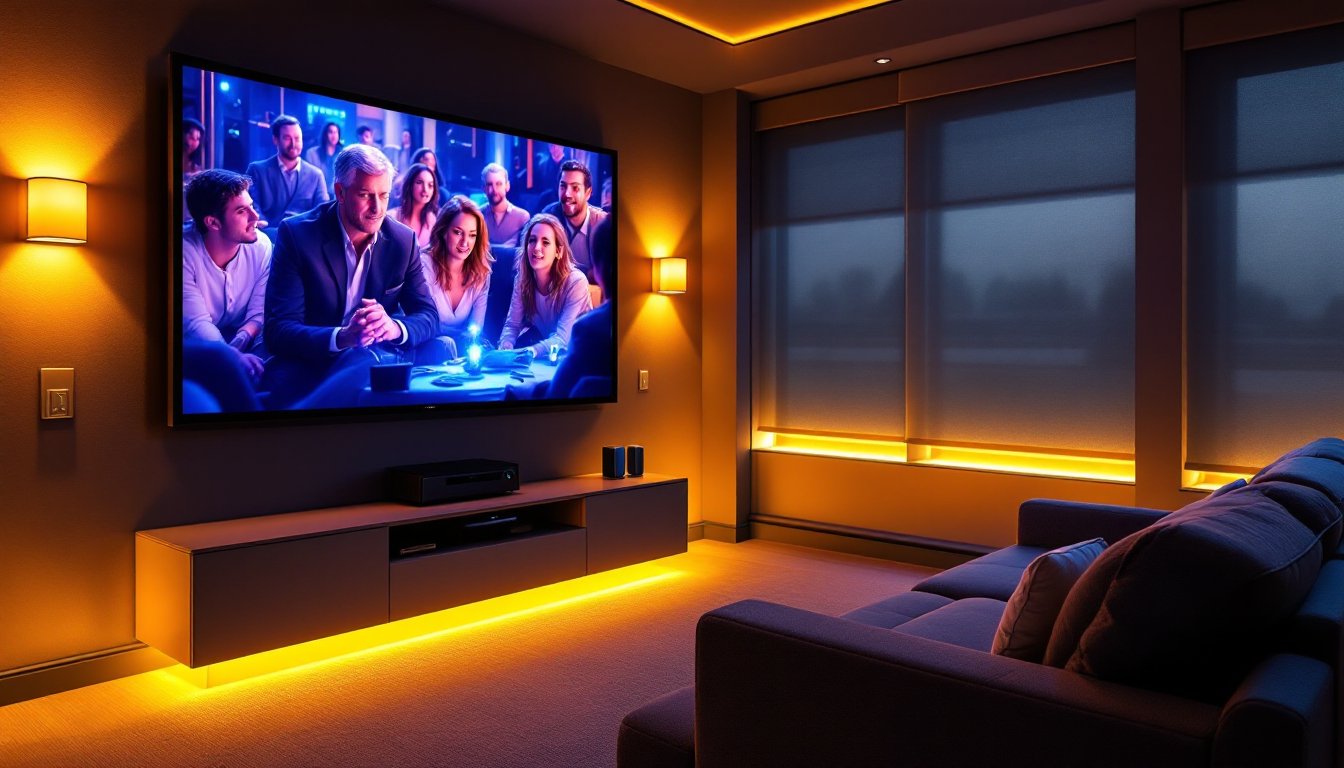
Beyond convenience, automation creates the right environment automatically. Imagine starting a movie: the lights dim to a preset level, the projector powers on, the receiver switches to the correct input, and the blinds close, all triggered by a single command. This level of control enhances immersion and makes your space feel intentional rather than cobbled together.
Automation also protects your equipment. Smart systems can monitor temperatures, power management, and usage patterns, which prolongs the life of expensive AV components. If your projector lamp is running hot or a device has been idle too long, the system can alert you or adjust automatically. It’s the practical difference between hobby-level entertainment and a room that acts like it’s been designed by someone who knows what they’re doing.
Essential Components of a Smart Home Theater System
A smart home theater system isn’t just one device, it’s a coordinated stack of hardware, software, and wiring that work together. At its core, you’ll need a central hub or processor, smart lighting, networked audio/video gear, and reliable connectivity.
The central hub (also called a control processor or automation controller) is the brain of the operation. Systems like Savant, Control4, or smaller options like Logitech Harmony act as the command center, receiving your inputs and orchestrating every other device. Some people use their home automation hub (like Apple Home or Google Home) as the central point, while others invest in dedicated home theater processors. The choice depends on your budget and how many devices you’re controlling.
Networking infrastructure matters more than most homeowners realize. Your system needs reliable, low-latency Wi-Fi or hardwired Ethernet. For larger homes, consider adding mesh Wi-Fi routers to eliminate dead zones in the theater room: dropped signals mean missed commands and frustration. If you’re serious about automation, run Cat6 or Cat6a Ethernet during construction or renovation, it’s cheaper and cleaner to pull wire through walls when they’re open than retrofitting later.
Smart bulbs and dimmers let you control lighting without rewiring the entire room. Lutron Caseta and Nanoleaf are popular choices: Lutron works with or without a hub and uses a wireless protocol called Clearbright that’s rock-solid in high-density environments. Avoid cheap Wi-Fi-only smart bulbs for critical theater lighting, they lag and drop out.
Audio and Video Control
Your AV receiver is the hub of audio and video routing, but it needs to be networked. Look for receivers with IP control and CEC (Consumer Electronics Control) support, both let your automation system send commands without needing dedicated IR blasters pointing at each device. A quality receiver from Denon, Yamaha, or Onkyo will handle this well.
For projector and TV control, confirm your display supports CEC or IP control. Older displays may require an IR blaster (an infrared emitter controlled by your hub) to receive power and input commands. Top automation platforms let you learn IR codes, but it’s cleaner if your gear natively supports network commands.
Streaming devices (Apple TV, Roku, Fire TV) increasingly support voice control and automation APIs. A home theater automation system typically integrates with these devices, letting you queue up content as part of a scene or macro, hit “Movie Time” and the system powers on, dims lights, and loads your streaming app.
Wireless surround speakers and active subwoofers simplify cable runs. Wi-Fi-connected Sonos, Denon HEOS, and other multiroom systems integrate cleanly with automation hubs, though some audiophiles prefer wired setups for absolute stability. The tradeoff is convenience versus cable clutter under your furniture.
Lighting and Ambiance Automation
Lighting makes or breaks a home theater experience. Harsh overhead lights fight your screen: dim, warm lighting feels intentional and immersive. Automation lets you dial in the perfect ambiance instantly, and adjust it during credits or intermissions without fumbling for wall switches.
Dimmer switches are essential. Standard on/off switches can’t give you control: you need dimmers that integrate with your automation system. Lutron, Leviton, and others make smart dimmers that accept commands from your hub and fade lights smoothly. They cost more than basic switches (typically $50–150 each vs. $2–5), but they last years and never lag.
Layered lighting prevents one-trick pony syndrome. Install dimmers on separate circuits: overhead lights, wall sconces, and accent lighting on separate control zones. Then create scenes: “Movie” might dim overheads to 5%, keep sconces off, and set accent strips to a warm 2700K color temperature. “Intermission” brings sconces up to 50%. “Game Day” leaves overheads bright. This flexibility costs more upfront but pays off every time you use the space.
Color temperature and intensity both matter. Warm white light (2700K–3000K) works best for theaters because it doesn’t cause eye strain during long viewing sessions and complements screen colors. Cool white (5000K+) is jarring and pulls attention away from your display.
Blackout curtains or motorized shades are often overlooked but crucial, especially for projector setups. Smart home devices for home theater increasingly include motorized shade controllers. When you start a movie, automated shades drop simultaneously with lighting cues, creating a completely controlled environment. No daylight leaks, no manual adjustment, everything is part of the scene.
Getting Started: Installation and Setup Basics
Installation complexity ranges from “plug it in and pair it” to “hire a professional integrator.” Home theater automation isn’t inherently complicated, but poor planning leads to wasted money and retrofitting headaches.
Start with a layout. Sketch your theater room: TV or projector location, speaker placement, seating, and device locations. Mark where cables need to run, through walls, under furniture, or in conduit. Identify power outlets and network access points. A bad cable plan kills your system faster than outdated software.
Decide on a hub first. Your choice of central controller shapes everything else. If you’re starting small (just lights and TV), Apple Home, Google Home, or Amazon Alexa work fine for voice control and basic automation. If you want professional-grade reliability and advanced scene control, consider Savant, Control4, or specialized home theater processors. Budget $200–500 for a DIY hub, $2000–5000 for professional-grade.
Run wiring during renovation or construction. If you’re building or renovating the theater room, Cat6 Ethernet and 20-amp circuits dedicated to theater equipment are worth the cost. Run conduit to future-proof upgrades. If you can’t run new wiring, quality mesh Wi-Fi is your backup, not ideal, but functional.
Network setup is non-negotiable. Your automation hub and all connected devices must be on the same network and reachable reliably. Use a dedicated 5GHz Wi-Fi band for theater devices (separate from your general home Wi-Fi if possible), with a strong signal. Many network issues disguise themselves as device problems: test connectivity before blaming the hardware.
Document everything. Keep a spreadsheet of device IP addresses, network names, control codes, and which app controls what. When something stops responding in six months, this cheat sheet saves hours of troubleshooting.
If you’re not confident in networking or wiring, hire an integrator for the backbone setup. It costs $500–2000 upfront but prevents $5000+ in rework. Many of the best home theater automation platforms recommend certified installers for this reason.
Popular Automation Platforms and Ecosystems
Your hub choice defines compatibility, features, and ease of use. Here’s a breakdown of the main players:
Apple Home works seamlessly with Apple devices and supports HomeKit-certified gear. Setup is intuitive, and scenes are straightforward. The downside: HomeKit has fewer integrations than competitors, and not all professional AV gear supports it. It’s ideal if you’re already deep in the Apple ecosystem.
Google Home and Amazon Alexa offer broader third-party integration and cheaper entry points. Both work well for voice control and basic automation. Amazon Alexa’s Routines feature (bundling multiple device commands into one voice trigger) is powerful for home theater scenes. Both lack the polish and reliability of professional systems for complex automation.
Savant and Control4 are professional-grade platforms used by integrators. They offer granular control, custom programming, and rock-solid reliability. They cost more ($5000–15,000 installed) but scale to whole-house automation beyond just theater. If you want to expand to lighting, climate, and security down the road, these platforms grow with you.
Logitech Harmony focuses specifically on entertainment. It’s affordable ($100–300), unifies remotes and devices into macros, and works with almost everything AV-related. The tradeoff: it’s not a whole-home automation platform, so if you want integrated lighting and climate control, you’ll layer it with Home or Alexa.
Home automation hubs like HomeSeer and Hubitat appeal to tech-savvy DIYers. They’re open-source, customizable, and work with almost any device. Setup is more hands-on than Apple or Amazon, but you get total control and privacy (data stays local, not in the cloud).
Pick based on your budget, technical comfort, and whether you plan to automate beyond theater. A budget-conscious DIYer might start with Google Home + Harmony + smart lights. Someone investing in a dedicated media room might go straight to Control4. Product reviews from trusted home improvement sources can guide specific device choices, but the ecosystem is your foundation.
Conclusion
Home theater automation transforms a room from a collection of devices into a cohesive, responsive space. Start with clarity: plan your layout, choose a central hub that matches your ambition and budget, and invest in reliable networking. Don’t skip lighting or audio integration, they’re as critical as the projector. Whether you go DIY with a smart home hub or invest in a professional system, the return is measured in every movie night: no more hunting for remotes, no missed commands, and an environment that responds to your needs instantly. Build it right the first time, and you’ll enjoy the payoff for years.